

With SpriCAD®, as an alternative to WinSprink, calculations can be performed using the pipe network geometry of a sprinkler network created with the Revit CAD system.
System requirements:
Operating system: Windows 10 or 11
: Revit: Version 2019–2027 (64-bit)
The pipes, fittings, and sprinklers entered are configured for calculation using the SpriCAD® plugin. The program analyzes the pipe system types and families entered in the model in advance. These are then used for calculation.
Standard: Hazen-Williams formula
As a paid add-on option, it is also possible to calculate the pressure loss using the Darcy-Weisbach formula (e.g. for foam systems) instead of the Hazen-Williams formula.
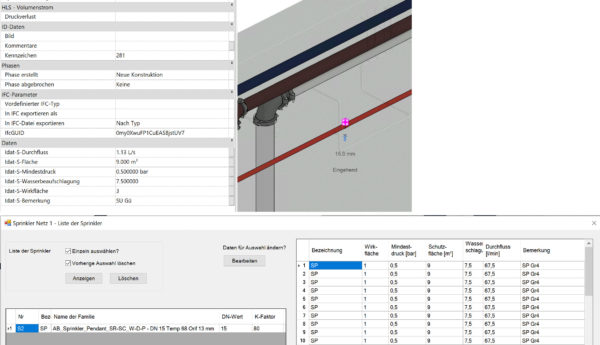
Pipes are assigned the following properties via common parameters:

Other important fundamentals for hydraulic calculations are stored directly in the Revit families, such as sprinklers or fittings.
Sprinkler characteristics:
After configuring the families, their equivalent lengths are automatically taken into account in the calculation using the appropriate equivalent length table.
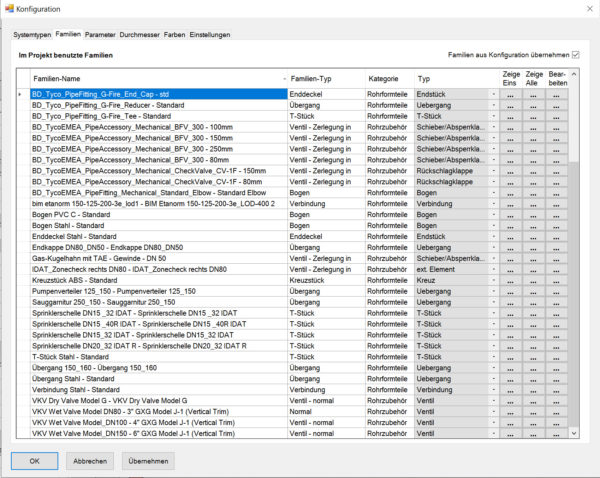
Three standard tables (VdS and FM) are included in the program. User-specific tables can be added.
Any number of effective areas can be entered, calculated, and saved.
A comprehensive list of pump characteristics from well-known manufacturers is included.
All information contained in the drawing model is then transferred to our calculation core (SpriCalc) using transfer files and processed.
SpriCalc meets the accuracy requirements specified by VdS/FM/NFPA/DIN EN 12845, as well as the format of the calculation printout.
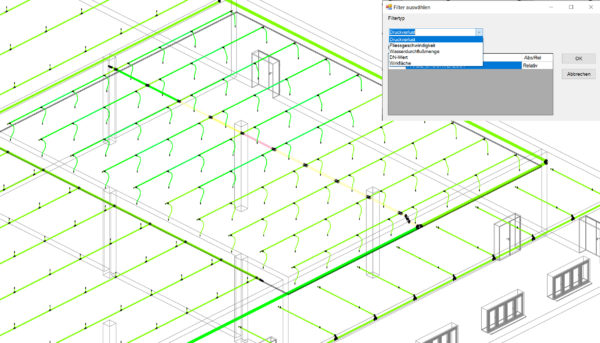
Various filters are available for the design of the sprinkler network for:
's YouTube videos: