
Transporting concrete elements from the production facility to the construction site requires detailed planning. In addition to transport-related parameters such as maximum dimensions and weights, and safety considerations such as determining the center of gravity, this process also indirectly determines the order in which the elements will be laid on the construction site. Stacker is a program that provides users with optimal support for this important task.
In addition to the CAD program, IDAT offers programs for production planning. These programs round out the portfolio, enabling IDAT to support end-to-end, integrated IDAT from the moment data is received from the customer through to the production of the finished part. These programs work with the machine data generated by the CAD program and are thus fully compatible with modern production technology and master computer systems. AutoCAD is not required to run these programs, and they can be operated on a separate computer independently of the CAD software.
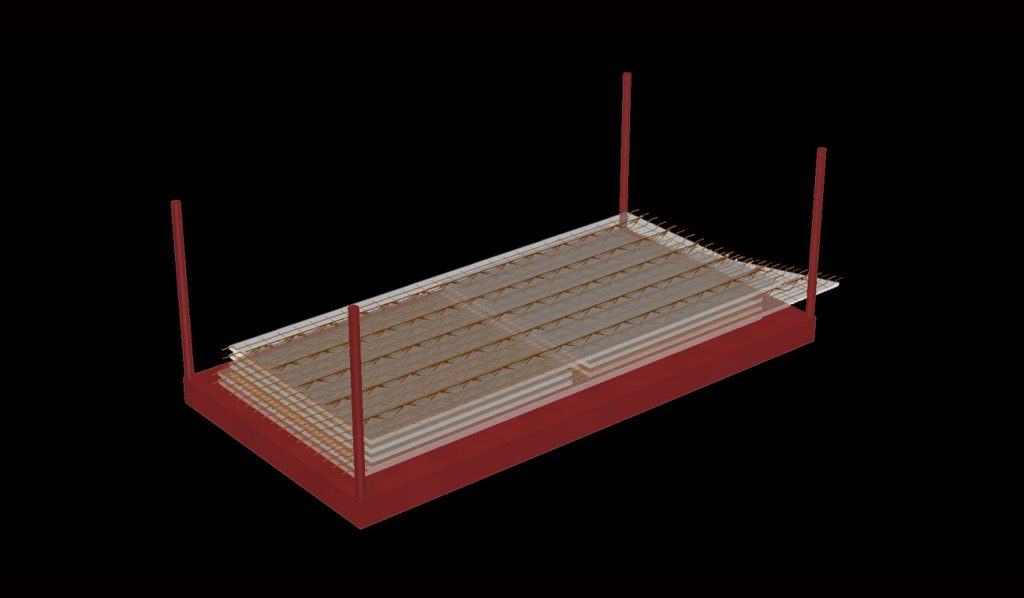
The Stacker program is responsible for transport stacking. It is used to plan the transport of prefabricated components to the construction site. Indirectly, it also determines the installation sequence on the construction site, since the components are stacked and unloaded on the construction site in reverse order.
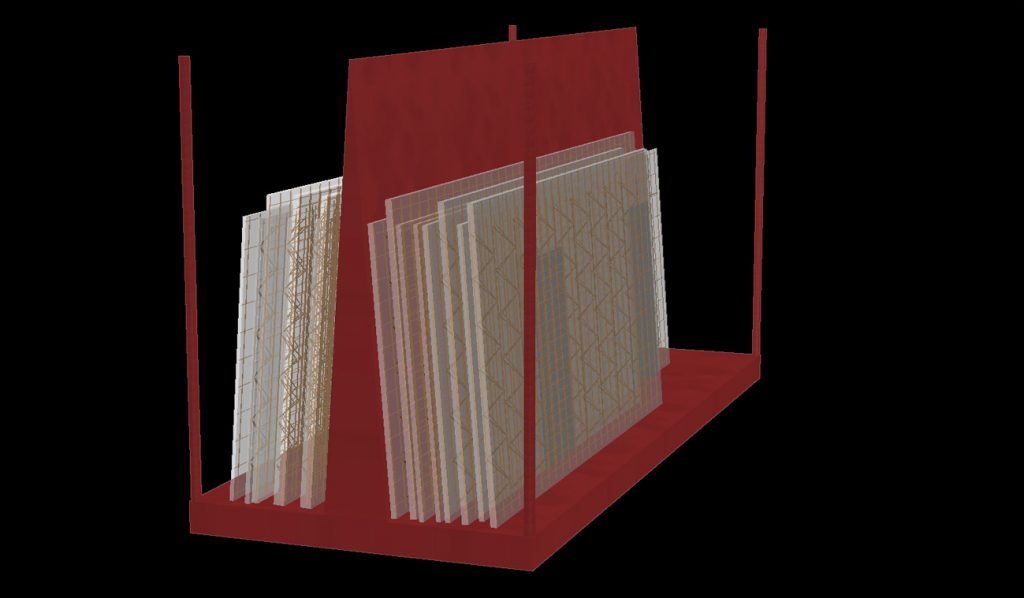
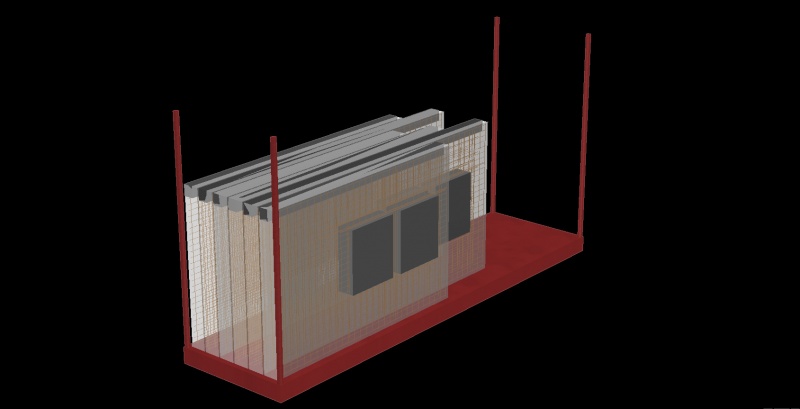
In the Stacker, various stacking racks can be defined with the following parameters:
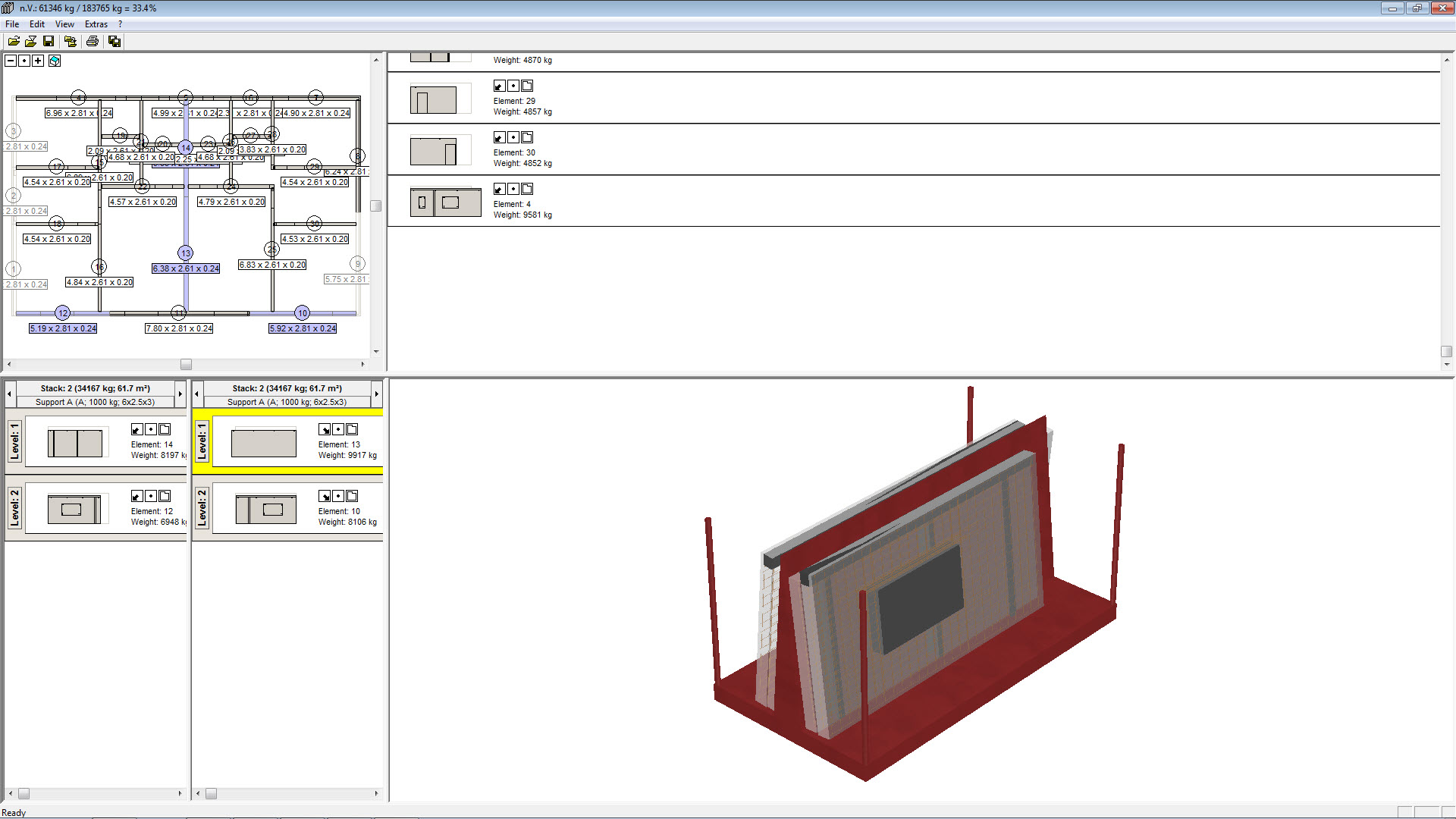
In the Stacker, the prefabricated parts imported from CAD are displayed in the correct orientation on the floor plan. Simply clicking on the elements places them in the current transport rack. The program actively monitors the weight and automatically selects a new stack when the preset maximum weight is reached. Similarly, during vertical stacking, the stack’s center of gravity is determined and displayed to the user, allowing them to make any necessary corrections. The stack is displayed in 3D and can be viewed from all sides.
The following editions are available: